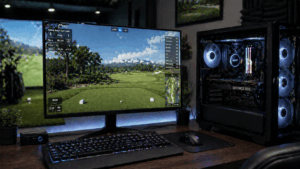
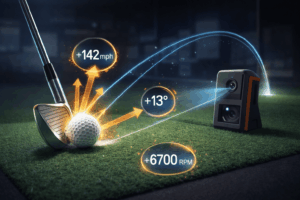
Putting on a golf simulator works one of three ways: you putt on the same mat as your full swing and the launch monitor reads the stroke, you use a dedicated putting simulator like the ExPutt RG, or the software auto-holes putts under a set distance. Most home simulator owners end up using a combination – real putting for longer distances where speed control matters, and auto-putt or gimme settings for short-range putts where the flat mat can’t replicate a real green.
Putting is the single biggest gap in the golf simulator experience, and I’m not going to pretend otherwise. A 30-foot putt on a flat mat with projected contours doesn’t feel like, read like, or break like a real putt on an undulating green with grain and moisture. What you can practice effectively is stroke mechanics, face angle at impact, tempo, and distance control – and those four things account for more three-putts than green reading does. Here’s how each putting approach works and which one fits your setup.
The quick answer: Most launch monitors detect putts with varying accuracy. Premium units (GCQuad, ProTee VX) have dedicated putting modes. Mid-tier units (Launch Pro, SkyTrak+) read putts but with limited precision. Budget units (R10) struggle with putting entirely. Dedicated putting systems like the ExPutt RG ($249-$349) provide the most realistic putting practice. Auto-putt/gimme settings are standard in GSPro and E6 Connect.
Method 1: putting with your existing launch monitor
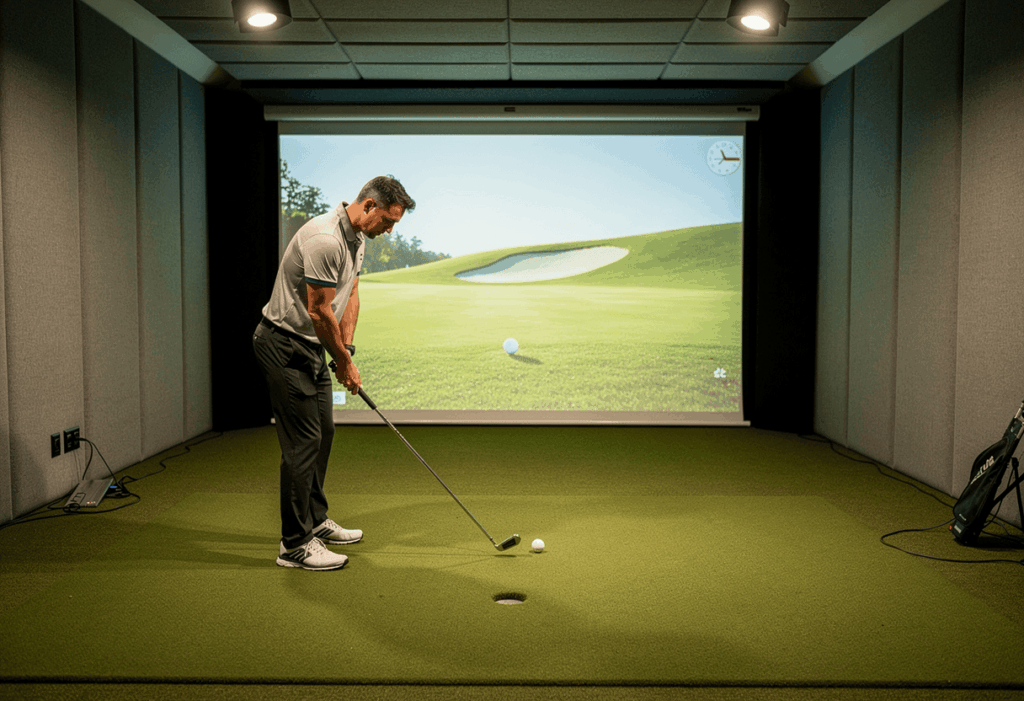
Most simulator software defaults to using your same launch monitor for putting as for full swings. You stand on the hitting mat, line up your putter, and make your stroke. The launch monitor reads the ball speed, launch direction, and (if it can) the spin, then the software calculates where the ball would stop on the virtual green based on those inputs combined with the green’s modeled slope and speed.
How well this works depends entirely on the launch monitor. Camera-based premium units like the Foresight GCQuad and ProTee VX have dedicated putting analysis modes with high enough camera resolution to read putter face angle, club path, and ball speed accurately at putting speeds (3-8 mph). The GCQuad is considered the industry standard for putting data in professional fitting environments.
Mid-tier camera units like the Bushnell Launch Pro, SkyTrak+, and Foresight GC3 detect putts but with less precision. The ball moves slowly enough that fewer data points are captured per frame, and spin measurement at putting speeds is less reliable than at full-swing speeds. The result: distance control data is usable, but direction and break interaction are approximate. You’ll see the ball go roughly where it should, but the fine-grained accuracy of a real putt isn’t there.
Radar-based units like the Garmin R10 and FlightScope Mevo+ struggle significantly with putting. The ball barely moves fast enough to generate a meaningful Doppler return, and the calculated spin data is unreliable at low speeds. If you’re using an R10 for your simulator, putting is the weakest part of the experience by a wide margin.
Overhead-mounted units like the Uneekor EYE XO2 and Trackman iO handle putting better than most floor-mounted systems because they have a direct view of the ball from above. The EYE XO2’s putting detection is considered strong in the community, though it still can’t replicate green reading.
Method 2: dedicated putting simulator (ExPutt RG)
The ExPutt RG is a standalone putting simulator that uses a high-speed camera mounted on a tripod to track your putter and ball movements on a 48-inch putting mat. It connects to any TV via HDMI and simulates putting on virtual greens with adjustable speeds, slopes, and real course layouts including Pebble Beach. It’s a completely separate system from your main launch monitor – you can use it alongside your sim or as a standalone training tool.
What makes the ExPutt genuinely useful: it directly measures ball speed, launch direction, total distance, putter path, and face angle at impact using its high-speed camera. The data has been compared to Trackman putting analysis and found to be within 1 degree of accuracy on key metrics. It tracks putts from 5 feet to 50 feet, adjusts green stimp settings, and provides stroke-by-stroke analytics.
The ExPutt mat is 48 inches long with a memory foam stopper at the end. You putt into the foam – the ball doesn’t travel the full distance. The camera reads the initial speed and direction, then the software calculates where the ball would end up on the virtual green. This feels strange at first (you’re putting into a wall of foam 4 feet away), but the data is real and the speed-control practice transfers directly to outdoor play.
At $249-$349, the ExPutt RG is affordable enough to add alongside any simulator build. The community on Golf Simulator Forum and r/golfsimulator consistently rates it as the single best dedicated putting practice tool for the price. Setup takes under 5 minutes, the mat rolls up for storage, and it connects to any TV or monitor.
Method 3: auto-putt and gimme settings
Both GSPro and E6 Connect include auto-putt settings that automatically hole putts under a specified distance. Most golfers set the gimme range at 3-5 feet, which means any putt inside that radius is considered made without requiring a stroke. Some players set it higher – 6-8 feet – which speeds up rounds significantly but inflates scores.
GSPro specifically offers a full range of putting settings: auto-putt (the software putts for you based on distance and line), manual putt with launch monitor (you make the stroke), and gimme settings with adjustable distance thresholds. E6 Connect has similar options. TGC 2019 offers a mouse-based putting interface that some players actually prefer to launch-monitor putting because it lets you read and play the virtual green break.
The auto-putt approach is a legitimate choice, not a cop-out. If your launch monitor doesn’t read putts reliably (most budget and mid-tier units), auto-putting eliminates the frustration of randomly missed short putts caused by data errors rather than stroke errors. You’re not practicing putting either way – you’re just deciding whether bad data or the software controls the outcome.
Most of my clients start by insisting they want to putt manually on the sim because it “feels more real.” Within two months, 80% of them switch to auto-putt for everything inside 6 feet. The frustration of seeing a perfectly struck 4-footer lip out because the launch monitor misread the ball speed by 0.5 mph kills the experience faster than anything else. Manual putting works on premium units. On mid-tier units, auto-putt keeps the rounds enjoyable.
What you can actually improve by putting on a simulator
Despite its limitations, simulator putting practice genuinely improves four elements of your real-world putting – and those four elements are responsible for more three-putts than green reading is.
Distance control. This is where sim putting shines. Using an ExPutt or a decent launch monitor, you can practice 15-foot, 25-foot, and 40-foot putts repeatedly with immediate feedback on ball speed. Lag putting – getting the ball within 3 feet of the hole on long putts – is the single biggest putting improvement most amateurs can make, and it’s trainable on a flat mat because it’s primarily about speed, not break.
Face angle at impact. The ExPutt and premium launch monitors measure face angle within 1 degree. Knowing whether your face is consistently 1.5 degrees open at impact and seeing that data on every stroke creates the same feedback loop that makes full-swing sim practice effective. Most amateur putting misses are caused by face angle error, not path error.
Stroke tempo. Consistent tempo produces consistent speed, which produces consistent distance control. The ExPutt includes a metronome feature for tempo training. Even without a dedicated putting system, the act of making repetitive strokes on a consistent surface builds tempo patterns that transfer outdoors.
Starting line accuracy. Can you start the ball exactly where you intended? On a flat mat with no break, every miss tells you whether your aim or your stroke is off. Remove the variable of green reading and you isolate the mechanical components of your putting stroke. This is genuinely useful practice that most golfers don’t do enough of.
What you cannot practice on a simulator (be honest)
Green reading is the biggest gap. Real greens have grain direction, moisture variation, subtle undulations you feel through your feet, and visual slopes that your brain processes subconsciously. A projected green with contour lines displayed in the software is a math overlay, not a reading. The skill of reading a green – scanning the slope, feeling the terrain, committing to a line – doesn’t develop on a simulator.
Break execution is limited even on systems that model green contour. On a flat mat, you hit the ball straight and the software applies the break mathematically. On a real green, you aim left and let the slope carry the ball right. The feel of trusting a 4-foot break on a real green and hitting it above the hole is completely different from seeing a simulated curve on a screen.
Touch and feel on different surfaces – poa annua vs bentgrass, fast greens vs slow greens, wet morning greens vs dried-out afternoon greens – none of this translates from a putting mat. The mat speed is constant. Real green speed is anything but.
The best putting setup by budget
If you’re building a new sim and putting matters to you, here’s what I recommend at each tier.
Budget ($0 additional): Use auto-putt settings in GSPro or E6 Connect. Set gimmes at 4-5 feet. Accept that putting on a budget launch monitor produces frustrating data and auto-putt keeps your rounds enjoyable. Separately, buy a $30 PuttOut mat and mirror for offline putting practice – it’s more productive than fighting your R10’s putting detection.
Mid-tier ($249-$349 additional): Add an ExPutt RG alongside your main simulator. Use auto-putt on the sim during rounds, then do 15-20 minutes of dedicated ExPutt practice per session. This gives you the best putting data available at this price, and the dedicated practice format is more productive than putting into your launch monitor anyway.
Premium ($0 additional if you already own a GCQuad or ProTee VX): Use the launch monitor’s dedicated putting analysis mode. The GCQuad and ProTee VX have the camera resolution to read putting strokes accurately. Manual putt through the entire round – the data is good enough to make the experience realistic. Add an ExPutt for supplemental distance-control drills if you want maximum putting improvement.
Frequently asked questions
Can you actually putt on a golf simulator?
Yes – every major simulator software supports putting, either through your launch monitor reading the stroke, auto-putt settings, or a dedicated putting system like the ExPutt RG. The quality of the putting experience varies dramatically by equipment tier. Premium launch monitors deliver good putting data. Budget units are frustrating, and auto-putt is the better choice.
What is the best launch monitor for putting?
The Foresight GCQuad is considered the gold standard for putting analysis, with four cameras capturing putter face, path, and ball data at high resolution. The ProTee VX with its integrated cameras also handles putting well. The Uneekor EYE XO2 provides strong putting detection from its overhead position. Mid-tier units like the Launch Pro and SkyTrak+ work but with lower precision.
Is the ExPutt worth buying?
Yes, if putting improvement is a priority. At $249-$349, it’s the most cost-effective dedicated putting practice tool available. Community reviews on Golf Simulator Forum are consistently positive, highlighting accurate ball data, distance control training from 5-50 feet, and adjustable green speeds. The 48-inch mat needs minimal space and setup takes under 5 minutes.
Should I use auto-putt or manual putt on my simulator?
Depends on your launch monitor. Premium units (GCQuad, ProTee VX): manual putt works well. Mid-tier units (Launch Pro, SkyTrak+): manual for longer putts, gimmes for anything under 5-6 feet. Budget units (R10, Mevo): auto-putt for everything. The rule is simple – if the data frustrates you more than it helps, switch to auto-putt and practice putting separately on an ExPutt or physical putting green.
Why does putting feel so different on a simulator?
Three reasons. The mat is flat – no slope, no grain, no undulation under your feet. The break is applied mathematically by the software, not physically by the surface. And the visual feedback is projected, not experienced from ground level with natural depth perception. These gaps are inherent to the technology and don’t go away with better equipment.
Can you practice chipping on a simulator?
Short chips and pitches are readable by most camera-based launch monitors, though accuracy drops significantly below 30 yards. The bigger issue is the mat surface: fat chips off artificial turf don’t punish you the way real grass does, which means you can groove a technique that fails outdoors. Chips above 30 yards work well on most mid-tier and premium launch monitors.
In summary: practice the mechanics, accept the limitations
Simulator putting is the weakest link in the indoor golf experience, and no amount of equipment spending fully closes the gap with real greens. But the gap is narrower than most golfers assume when you focus on what the technology does well: distance control, face angle consistency, tempo, and starting line accuracy. Those four mechanical elements cause more three-putts than bad green reads in most amateur rounds.
The smartest approach I’ve seen across eight years of fitting: use auto-putt during sim rounds to keep the experience enjoyable, then do 15 minutes of dedicated ExPutt practice per session focused specifically on lag putting from 20-40 feet. That combination produces the most real-world putting improvement per minute of indoor practice. Trying to putt every hole through a mid-tier launch monitor that misreads one in five strokes just creates frustration with no training benefit.
One angle most putting guides skip: the best putting practice you can do alongside your simulator is on a physical putting green, not on the simulator itself. If you have the space, a 4×12 foot putting green with a real hole cut into it does more for your confidence and feel than any launch monitor or software-based system. The sim builds your full swing. The putting green builds your putting. Accept that they’re different tools for different parts of the game.
The client who improved his putting the most last year didn’t use his simulator for putting at all. He bought an ExPutt for $299, practiced lag putting for 15 minutes every evening, and played his sim rounds on auto-putt. His three-putts per round dropped from 4.2 to 1.8 over a single winter. The ExPutt taught him speed control. The simulator taught him everything else. Separate tools, separate skills, combined results.