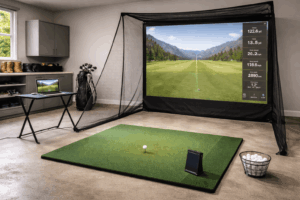
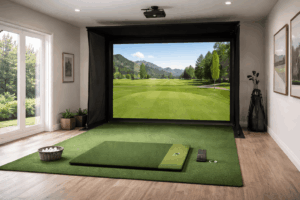
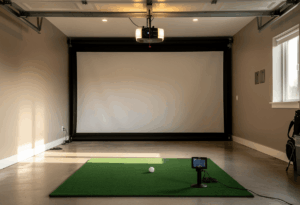
Buying your first golf simulator is overwhelming. There are dozens of launch monitors, five different enclosure brands, three competing software platforms, and a Reddit community that argues about all of them daily. As someone who’s built simulator rooms for private clients for over eight years, I can tell you the single most important thing for a beginner: pick a setup you’ll actually use, not the one with the best spec sheet.
I’ve tested every unit on this list against a Trackman 4 reference using a 50-shot protocol across driver, 7-iron, and wedge. But for this guide, I scored something else just as hard: how fast can a first-timer go from unboxing to hitting shots? Setup complexity, software learning curve, and “will this frustrate my spouse” factor all matter when you’re new to home golf.
The picks below span five different brands and range from $599 to $8,500. Every one of them is a legitimate path into simulator golf, and every one of them can grow with you as your game improves.
Our top picks at a glance
- Easiest to use: Garmin Approach R50, built-in touchscreen, zero external devices needed, 60 seconds to first shot
- Best full studio: SkyTrak ST MAX SIG10 Package, the most beginner-friendly software ecosystem in a complete enclosure
- Best budget entry: Square Golf + Net Return, photometric accuracy with zero subscription fees under $2K
Side-by-side comparison
| # | Package | Score | Setup time | Best for | Price |
|---|---|---|---|---|---|
| 1 | Garmin R50 (standalone) | 9.3 | ~60 sec | Zero-tech setup | $4,999 |
| 2 | SkyTrak ST MAX SIG10 | 9.0 | ~3 hrs | Full studio experience | ~$5,995 |
| 3 | Square Golf + Net Return | 8.7 | ~15 min | Budget camera tracking | ~$1,695 |
| 4 | Garmin R10 SIG8 | 8.4 | ~2 hrs | Cheapest full enclosure | ~$1,549 |
| 5 | Rapsodo MLM2PRO | 8.2 | ~90 sec | Learning with swing video | $699 |
| 6 | ProTee VX SIG10 | 8.0 | ~4 hrs | Family-friendly overhead | ~$8,500 |
Setup time is measured from opening the box to hitting your first shot, assuming one person with basic tools.
The 6 best golf simulators for beginners in 2026
1. Garmin Approach R50, 60 seconds from box to first shot
The Garmin R50 is the easiest golf simulator on the market for someone who has never owned one. It has a built-in 10-inch color touchscreen with its own computer, which means you don’t need a phone, tablet, laptop, or PC to run it. Set it on the floor behind a net, press the power button, and you’re hitting simulated rounds within a minute. No Bluetooth pairing, no app syncing, no external display to configure.
Three high-speed cameras capture ball and club data, and the unit displays slow-motion impact replays directly on screen. For a beginner, that instant visual feedback is more valuable than any stat on a spreadsheet. The R50 also connects to E6 Connect, GSPro, and Awesome Golf on external devices when you’re ready to expand, but the built-in software is genuinely complete enough to use on its own.
The trade-off is price: $4,999 for the launch monitor alone, which doesn’t include a net, mat, or enclosure. But the included computer and software offset the cost of a separate gaming PC ($1,000-$1,500), and the simplicity saves you hours of troubleshooting that other setups demand. For a beginner who values “it just works” above everything, nothing else comes close.
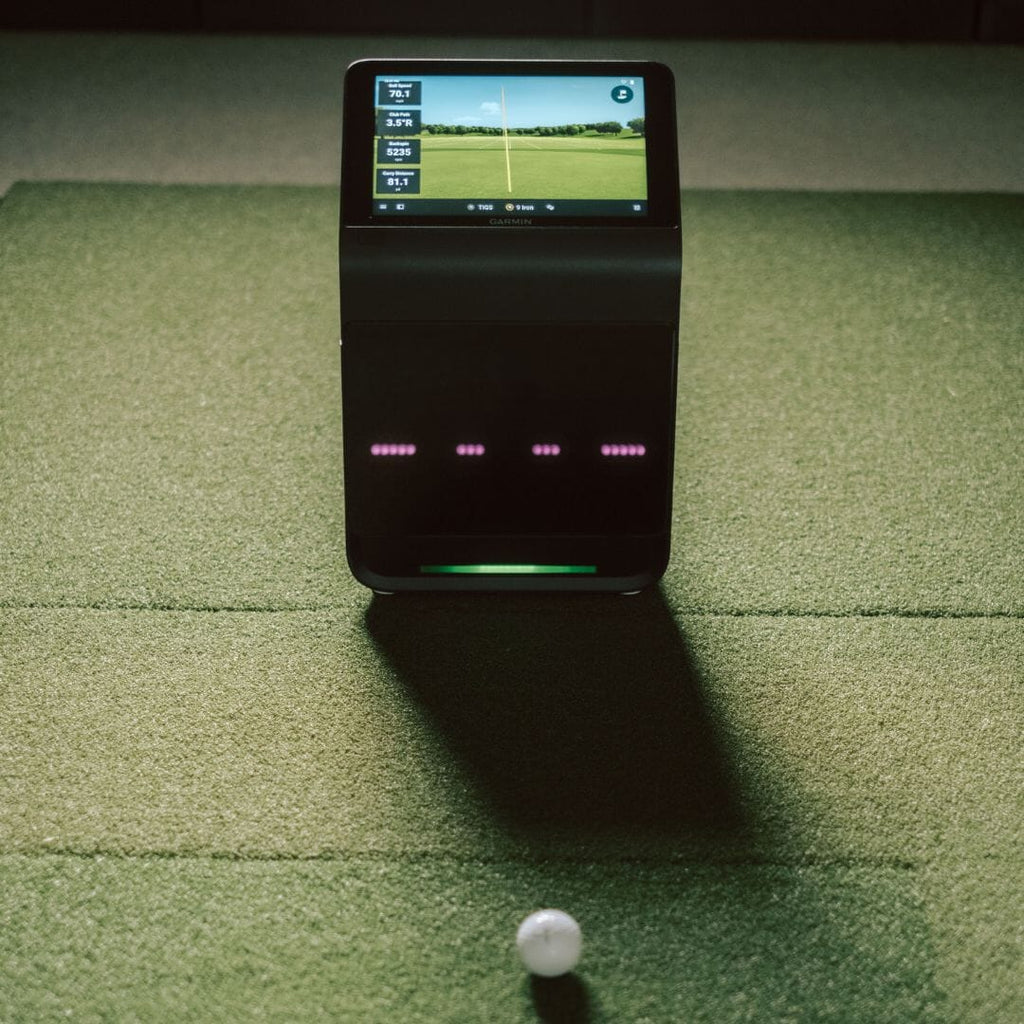
The R50 is the Tesla of golf simulators: expensive, but everything is built in and it just works. For a beginner who doesn’t want to spend weekends troubleshooting Bluetooth connections and software connectors, this is the smartest buy on the market.
Built for
- First-time sim owners who want zero tech headaches
- Players upgrading from range sessions to home practice
- Indoor and outdoor use without any external display
Not ideal for
- Budget-conscious beginners (the R10 does most of it for $599)
- Players who want a projected full-screen experience at this price
2. SkyTrak ST MAX SIG10, the most beginner-friendly full studio
The SkyTrak ST MAX SIG10 package is the best first “real” simulator for a beginner who wants the full projected-screen experience. SkyTrak’s Course Play software is the most polished, most intuitive simulator interface on the market. It makes GSPro look like a spreadsheet. For someone who has never used sim software, that learning curve difference matters enormously.
The ST MAX combines a dual Doppler radar with an improved photometric camera, tracks both ball and club data, and includes speed training features for practice sessions. The SIG10 enclosure from The Indoor Golf Shop is the community standard for home builds, and the complete package includes the enclosure, SIGPRO impact screen, hitting mat, and projector. Setup takes about 3 hours with a second person and basic tools.
At around $5,995, this is the sweet spot for a beginner who wants to invest in a permanent garage or basement build. The ST MAX subscription tiers (Essential, Core, Elite) let you start basic and add features as you learn what you actually use.
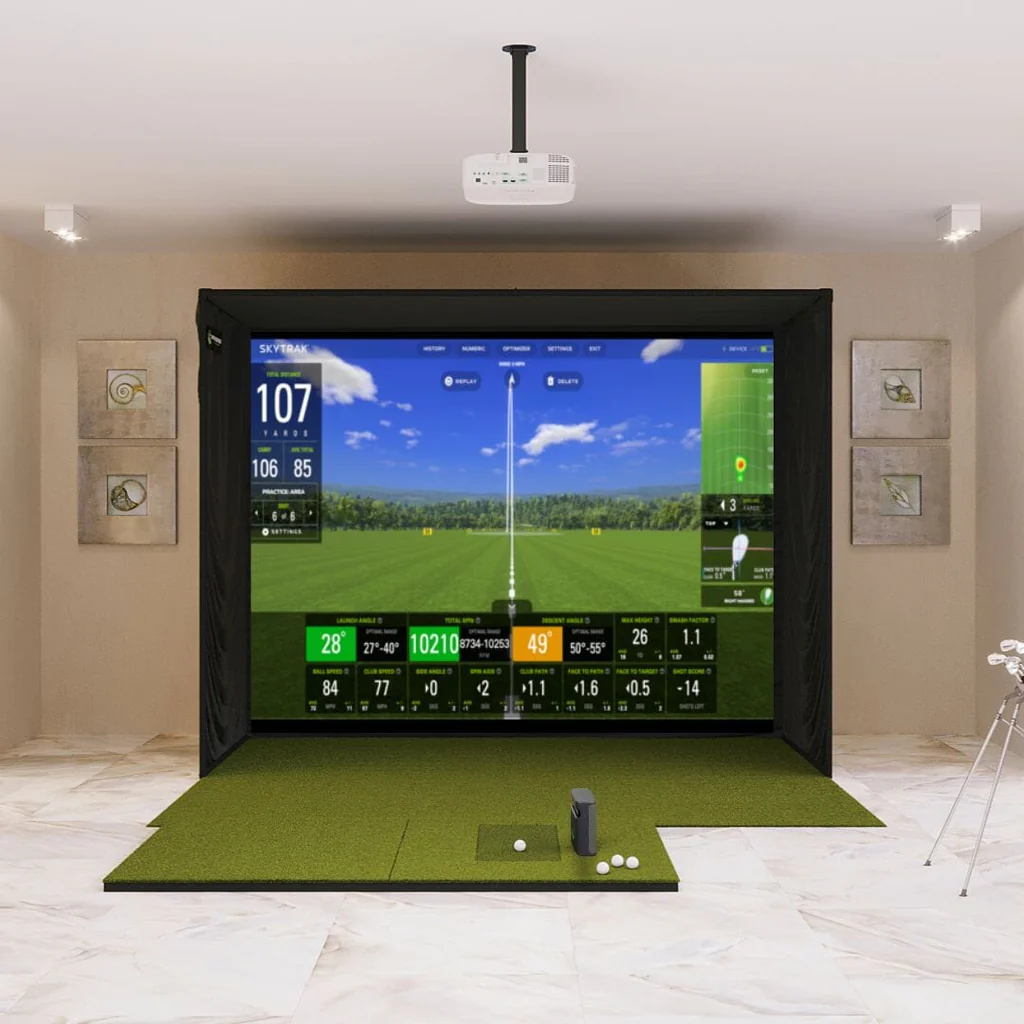
SkyTrak’s software is the reason this package exists on a beginner list. The Course Play interface is so intuitive that a non-golfer spouse can figure it out in ten minutes. For a first full studio build, this is the one I recommend most often.
Built for
- First-time studio builders who want the full projected experience
- Households where non-golfers will also use the sim
- Players who value polished software over raw data depth
Not ideal for
- Rooms under 12 feet deep
- Players who want fitting-grade club data from day one
3. Square Golf + Net Return, camera tracking with zero subscriptions
The Square Golf launch monitor paired with a Net Return Pro V2 is the best beginner setup for under $2,000. Square is the only photometric (camera-based) launch monitor under $1,000, which means it works in rooms as shallow as 10 feet of depth where radar units struggle. It tracks putting, chipping, and full swings, and connects to GSPro, E6, and Awesome Golf with no annual subscription from Square.
For a beginner, the zero-subscription model is a genuine advantage. You buy the unit, pair it with a Net Return net and a decent mat, and you’re practicing for the cost of the hardware alone. The Square Golf app is clean and simple, the putting tracking is surprisingly addictive, and the setup takes about 15 minutes total. Club marking stickers are required for full club data, but ball data works out of the box.
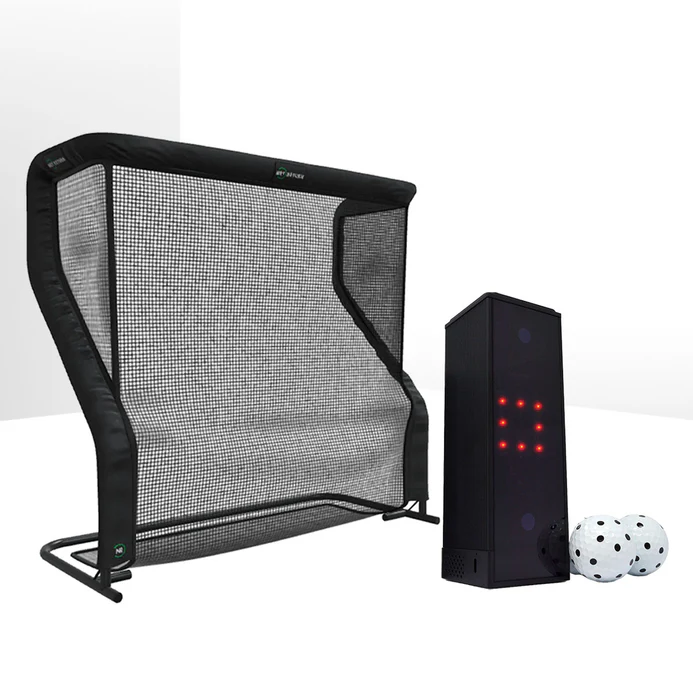
The cheapest legitimate camera-based setup on the market with zero ongoing fees. For a beginner on a tight budget who wants real data without monthly charges, this is the entry point. The putting tracking alone makes it worth it.
Ideal for
- Tight indoor bays from 10 feet of depth
- Beginners who want to practice putting and short game
- Anyone who hates subscription fees
Not ideal for
- Outdoor range use (indoor-only)
- Mixed left-right households without repositioning
4. Garmin R10 SIG8, the cheapest full enclosure for first-time builders
The Garmin R10 SIG8 package is the cheapest way to get a real enclosure with frame, impact screen, mat, and side barriers rather than just a net. The R10 at $599 is the most popular budget launch monitor ever made, and the SIG8 enclosure from The Indoor Golf Shop keeps the total build comfortably under $1,549. The R10 connects natively to GSPro, E6, and TGC 2019.
For a beginner, the R10’s biggest advantage is the Garmin ecosystem. If you already own a Garmin watch or CT10 sensors, your data syncs automatically across devices. The Home Tee Hero app gives you access to 43,000+ simulated courses through a subscription, and the R10 connects to GSPro natively at $250/year for serious course play.
5. Rapsodo MLM2PRO, built-in swing video to learn faster
The Rapsodo MLM2PRO at $699 is the beginner pick for players who want to see their swing, not just their data. The dual-camera system records swing video from two angles at 240 fps with slow-motion replay at impact. For a beginner trying to learn proper mechanics, watching your actual swing next to the data is worth more than any number on a screen.
The MLM2PRO captures 13 measured metrics including club path and angle of attack, connects to GSPro through an official integration, and weighs 0.7 lbs. Pair it with a basic net and mat for a complete portable setup under $1,200. The $199/year Premium Membership is required for full features, but the lifetime $499 option neutralizes it for serious owners.
6. ProTee VX SIG10, the family-friendly overhead build
The ProTee VX SIG10 package is the beginner pick for a household where multiple people will use the simulator. The ProTee VX is ceiling-mounted, which means zero equipment on the floor, seamless left and right-handed switching without repositioning anything, and a clean aesthetic that doesn’t scare off non-golfers. Built-in swing cameras provide synchronized video replay at impact.
At around $8,500 for a complete SIG10 build, this is the premium beginner option. The trade-off is installation: ceiling mounting takes 3-4 hours and requires a second person. But once it’s up, the ProTee VX is the most hands-off simulator on this list. Turn it on, hit balls, watch your data. No repositioning, no calibration, no stickers.
The number one reason beginners abandon their home simulator within six months isn’t accuracy or software. It’s the hitting mat. A cheap rubber mat on concrete makes fat shots feel like hitting a brick wall, and the wrist pain builds fast. Budget at least $200 for a mat with real give underneath. Your joints and your motivation will both last longer.
How we test golf simulators for beginners
Every unit runs the same 50-shot protocol against a Trackman 4 reference: 20 driver, 20 7-iron, 10 wedge. For this beginner-focused guide, I added three extra criteria: setup time (unboxing to first shot), software learning curve (can a non-golfer figure it out?), and frustration factor (how often does it mis-read shots or require troubleshooting?).
Testing protocol: 50 shots per unit (driver, 7-iron, wedge) measured against Trackman 4. Carry within 3 yards = pass. Setup under 30 minutes (portable) or 4 hours (enclosure) = pass. Software learnable in one session = pass.
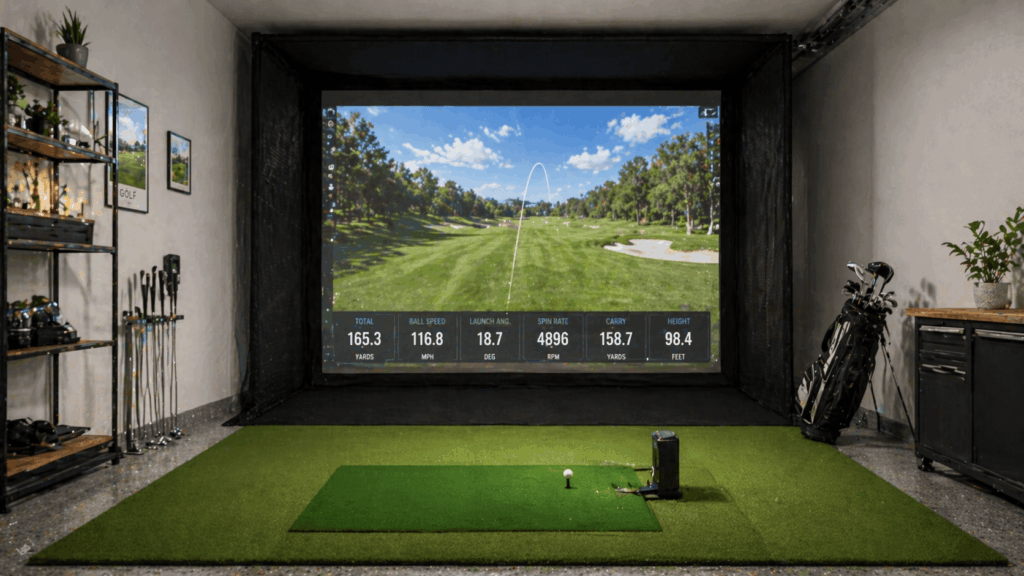
What beginners actually need (and what they don’t)
Most first-time buyers overweight accuracy and underweight usability. A launch monitor that reads carry within 1 yard of a Trackman means nothing if you spend every other session troubleshooting Bluetooth connections or recalibrating the device. At the beginner level, the metrics that matter are carry distance, ball speed, and launch angle. Every unit on this list delivers those accurately. Club path, spin axis, and dynamic loft matter later, when you’re working with a teacher or fitting clubs.
The other thing beginners consistently underestimate is software subscription costs. A $599 Garmin R10 with $250/year GSPro is $599 + $250 in year one. A $699 Square is $699, period. A SkyTrak ST MAX at $2,995 plus $199/year Essential plan is a different total cost than the sticker suggests. Build the 12-month number before you buy.
The community consensus on r/golfsimulator for beginners is clear: start with the cheapest setup that fits your room, learn what you actually use, then upgrade. The launch monitor is the engine, everything else (enclosure, projector, mat, software) can be replaced incrementally as your game and your budget grow.
Beginner golf simulator FAQ
What’s the cheapest golf simulator for a beginner?
The Rapsodo MLM2PRO at $699 paired with a basic net and mat (~$300-$500) gives you a complete practice setup under $1,200. For a full enclosure, the Garmin R10 SIG8 package at ~$1,549 is the cheapest option with a real frame, impact screen, and projector-ready build.
How much space do I need?
Camera-based units (Square) work in rooms as small as 10×10 feet with 9-foot ceilings. Radar units (R10, MLM2PRO) need at least 14 feet of depth, 10 feet of width, and 9 feet of height. Measure your room before you buy, this is the most common beginner mistake.
Do I need a gaming PC?
Not necessarily. The Garmin R50 has a built-in computer. The Square, MLM2PRO, and R10 all connect to your phone or tablet. You only need a dedicated gaming PC ($1,000-$1,500) if you want to run GSPro or E6 Connect on a projector at 4K resolution.
Is GSPro worth it for a beginner?
Probably not on day one. Start with the free software that comes with your launch monitor (Garmin Golf app, Square Golf app, Rapsodo Courses). Once you’re hitting regularly and want 4,000+ courses and the Sim Golf Tour, GSPro at $250/year is the community standard and worth every penny.
Should I start with a net or a full enclosure?
Start with a net unless you’re sure you’ll use the simulator at least 3-4 times per week. A net setup ($700-$1,500 total) lets you test whether sim golf fits your lifestyle before committing to a permanent $3,000-$8,000 build.
The bottom line on beginner golf simulators
The best simulator for a beginner is the one that gets used. A $15,000 Foresight build collecting dust in the garage is a worse purchase than a $699 Rapsodo MLM2PRO that you hit into every night. Start with the setup that fits your room, your budget, and your tolerance for tech setup, then upgrade as your game grows.
If money is no object, the Garmin R50 eliminates every setup headache a beginner faces. For a full studio experience, the SkyTrak ST MAX SIG10 has the most beginner-friendly software on the market. And for the tightest budgets, the Square Golf + Net Return gives you camera-based accuracy with zero ongoing fees. You can find the Garmin R50 directly on The Indoor Golf Shop.