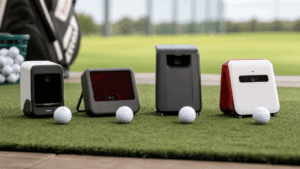
The Uneekor Eye Mini and Eye Mini Lite use identical dual-camera technology and track the same 19 ball and club data points. Same accuracy, same software compatibility, same data quality. The $1,750 price difference buys you three things: a built-in E-ink screen, a rechargeable battery, and outdoor portability. If you’re building a dedicated indoor simulator and already have a gaming PC, the Lite saves you $1,750 with zero data compromise. If you want to take the unit to the range or use it without booting up a computer, the full Eye Mini is the only option.
I’ve tested both units against my Trackman 4 baseline, and the indoor data is indistinguishable between them. The cameras are the same. The algorithms are the same. The only question is whether you’ll ever use it outside your sim room. Most buyers won’t. Most buyers should buy the Lite.
The quick verdict: Buy the Eye Mini Lite ($2,749) if you’re building a permanent indoor simulator with a gaming PC. Buy the Eye Mini ($4,500) if you want outdoor range use, standalone data display without a PC, or iPad compatibility through View Air. Both deliver identical accuracy, identical data points, and identical simulator software compatibility (GSPro, E6 Connect, TGC 2019).
What’s identical (the important part)
Before covering the differences, understand what’s shared – because it’s everything that matters for data quality and simulator performance.
Both units use Uneekor’s dual high-speed camera system with Dimple Optix and Club Optix technology. Dimple Optix tracks the ball by reading its dimple pattern, eliminating the need for special marked balls. Club Optix captures club delivery data through reflective stickers placed near the clubface toe. Both track 19 data points: ball speed, launch angle, side angle, backspin, sidespin, carry distance, club speed, smash factor, attack angle, and club path among others.
Both connect to GSPro, E6 Connect, and TGC 2019 through Uneekor’s third-party connector. Both include Uneekor’s free View software for driving range practice and are compatible with Refine and Refine+ for course play and advanced practice modes. Both ship with 1,280 reflective club stickers for club data tracking. Both require stickers for club data – without them, you get ball data only.
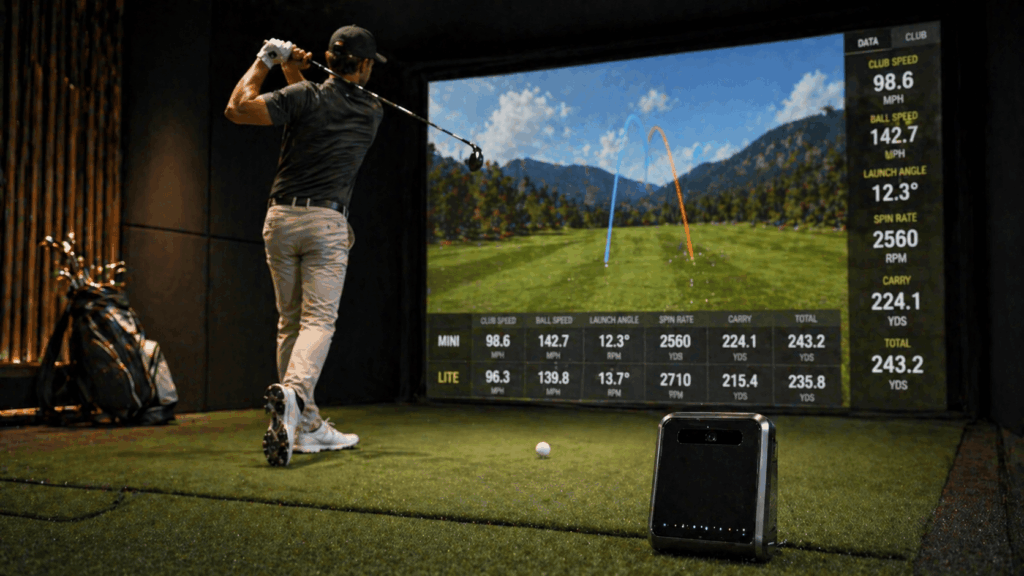
In side-by-side indoor testing, ball speed, spin rate, carry distance, and launch angle readings are functionally identical between the two units. The cameras are the same hardware. The processing is the same. If you blindfolded someone and showed them the data output, they couldn’t tell which unit produced it.
Built-in display: the Eye Mini’s standout feature
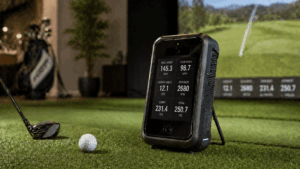
The Eye Mini has a built-in E-ink screen on the top of the unit that displays 10 key data points immediately after each shot. Ball speed, carry distance, spin rate, launch angle – all visible at a glance without turning on a computer, opening an app, or connecting to anything. Power on the Eye Mini, drop a ball in the hitting zone, swing, and the numbers appear on the device.
The Eye Mini Lite has no built-in display. To see any data, you must connect to a Windows PC running Uneekor’s View software. Without the PC powered on and connected, the Lite is a paperweight.
This sounds like a minor difference until you experience both. The built-in screen is genuinely useful for quick sessions where you want to check a carry number, verify a club gap, or hit 10 balls before dinner without the 2-minute boot-up-and-connect sequence. Community reviews on Golfible and PlayBetter consistently note that users expected to ignore the screen and ended up relying on it more than anticipated.
For dedicated simulator builds where the gaming PC is always on and connected, the screen matters less. You’re already looking at a projector or TV showing GSPro – the data is right there in the software. The built-in screen adds convenience for standalone practice, not for full sim sessions.
Battery and portability: indoor-only vs everywhere
The Eye Mini has a rechargeable battery lasting 6-8 hours per charge, a built-in carrying handle, and ships with a carrying case. It weighs about 8.4 pounds. You can take it to the driving range, the backyard, or a friend’s garage without any power cable. It works outdoors in natural light.
The Eye Mini Lite requires AC power at all times. No battery. No portability. It needs to be plugged into a wall outlet and connected to a Windows PC via Ethernet cable. It’s designed to sit in one spot permanently – your simulator bay – and never move.
For the 90% of buyers building a dedicated indoor simulator, portability is irrelevant. The launch monitor sits in the same spot for years, connected to the same PC, running the same software. The Lite does everything the Eye Mini does in that scenario, at $1,750 less.
For the 10% who genuinely want to practice at the driving range AND at home, the full Eye Mini is the only Uneekor option that travels. The battery, the built-in screen, and the outdoor capability combine to make it a legitimate dual-use device.
Connectivity: PC-only vs PC + iPad
The Eye Mini supports Uneekor’s View Air iPad app, which lets you see shot data wirelessly on an iPad. This means you can use the Eye Mini at the range with just an iPad – no PC, no cables, no projector. The iPad shows the View driving range interface with full ball and club data.
The Eye Mini Lite is Windows PC only. No iPad app. No mobile app. No wireless option. It connects via wired Ethernet to a PC, and that’s the only way to access any data.
Important caveat: the iPad experience on the Eye Mini is limited to Uneekor’s View driving range. You can’t run GSPro, E6 Connect, Refine, or GameDay on iPad – those all require a Windows PC regardless of which unit you own. The iPad is useful for standalone range practice with data, not for full simulator course play.
Price and five-year cost
The Eye Mini retails at $4,500. The Eye Mini Lite retails at $2,749. That’s a $1,751 difference for the built-in screen, battery, portability, and iPad compatibility.
Neither unit requires a hardware subscription for basic use. Uneekor’s View software (driving range practice) is included free with both. Third-party simulator software requires separate purchases: GSPro at $250/year, E6 Connect at $300-$600/year, or TGC 2019 at ~$999 one-time. Both units require a $199/year Pro Package subscription to maintain access to the third-party connector after the initial 90-day trial period.
Five-year cost with GSPro: Eye Mini = $6,245 ($4,500 + $250×5 GSPro + $199×4.75 Pro Package). Eye Mini Lite = $4,494 ($2,749 + $250×5 + $199×4.75). The Lite saves roughly $1,750 over five years – the full price difference carries straight through because the ongoing subscription costs are identical.
I recommended the Eye Mini Lite to a client last year who was torn between the two. His simulator is in a finished basement, the PC is always on, and he hasn’t visited a driving range in three years. Six months later he told me it was the easiest purchase decision of the whole build – the Lite does everything his sim needs, and the $1,750 savings went toward a better projector that he uses every single session. The built-in screen would have been nice, but a $1,500 BenQ TK710STi is nicer.
Side-by-side comparison
| Feature | Eye Mini | Eye Mini Lite |
|---|---|---|
| Price | $4,500 | $2,749 |
| Camera system | Dual high-speed (Dimple + Club Optix) | Dual high-speed (Dimple + Club Optix) |
| Data points tracked | 19 ball + club | 19 ball + club |
| Built-in display | Yes (E-ink, 10 data points) | No |
| Battery | Rechargeable, 6-8 hours | AC power only |
| Indoor/outdoor | Both | Indoor only |
| iPad support | Yes (View Air app) | No |
| PC connection | USB / wireless | Wired Ethernet only |
| Simulator software | GSPro, E6, TGC 2019 | GSPro, E6, TGC 2019 |
| Club stickers required | Yes (for club data) | Yes (for club data) |
| Weight | ~8.4 lbs | ~8.4 lbs |
| Best for | Indoor + outdoor, standalone use | Dedicated indoor simulator |
Which one should you buy?
Buy the Eye Mini Lite ($2,749) if: you’re building a permanent indoor simulator with a dedicated gaming PC, you don’t plan to use a launch monitor at the driving range, your PC is always on when you practice, and you’d rather put the $1,750 savings toward a better projector, mat, or enclosure. This is the right choice for the clear majority of home simulator builders.
Buy the Eye Mini ($4,500) if: you want to use it both indoors and at the driving range, you value being able to see data instantly without booting up a PC, you want iPad compatibility for standalone range sessions, or you simply want the more versatile unit regardless of cost. The Eye Mini is the better product in a vacuum – but for a fixed indoor sim, the extra features go unused.
There’s a third option worth considering: buy the Eye Mini Lite at $2,749 and put the $1,750 savings toward a separate budget launch monitor for outdoor range use – like a Garmin R10 at $499. Total cost: $3,248. You get Uneekor-quality indoor data in the sim and a dedicated portable unit for the range, both for $1,250 less than the Eye Mini alone. The R10’s radar works better outdoors than the Eye Mini’s cameras anyway, since radar tracks the full ball flight rather than calculating it from impact data.
Frequently asked questions
Is the Eye Mini Lite less accurate than the Eye Mini?
No. Both use identical dual-camera technology and track the same 19 data points. Indoor ball speed, spin rate, carry distance, and launch angle readings are functionally indistinguishable between the two units. The Lite is not a downgraded version – it’s the same engine without the battery, screen, and portability.
Can the Eye Mini Lite work without a PC?
No. The Eye Mini Lite requires a Windows PC with a wired Ethernet connection at all times. Without the PC powered on and running Uneekor’s View software, the Lite cannot display or record any data. There is no iPad, mobile, or standalone option.
Do both models work with GSPro?
Yes. Both the Eye Mini and Eye Mini Lite connect to GSPro, E6 Connect, and TGC 2019 through Uneekor’s third-party connector. A $199/year Pro Package subscription is required after the initial 90-day trial to maintain third-party software access.
Can I use the Eye Mini Lite outdoors?
No. The Eye Mini Lite is designed exclusively for indoor use. It requires AC power (no battery) and a wired PC connection. For outdoor range use, you need either the full Eye Mini or a separate portable launch monitor.
Is the $1,750 price difference worth it?
Only if you’ll actually use the outdoor portability, built-in screen, and iPad connectivity. For dedicated indoor simulator builds where a gaming PC is always running, the Lite delivers identical performance at $1,750 less. That savings buys a quality projector upgrade, a premium hitting mat, or both.
In summary: same cameras, different packaging
The Uneekor Eye Mini vs Eye Mini Lite decision is unusually simple for a launch monitor comparison because the core technology is identical. You’re not trading accuracy, data depth, or software compatibility by choosing the cheaper option. You’re trading portability, a built-in screen, and iPad access for $1,750 in savings.
For the vast majority of home simulator builders – golfers with a dedicated sim room, a gaming PC, and no plans to take a launch monitor to the range – the Eye Mini Lite is the smarter purchase. The $1,750 saved improves another component that you use every session (projector, mat, enclosure), rather than paying for outdoor capability that stays in the box.
One detail worth flagging: the Eye Mini Lite’s wired Ethernet requirement means your gaming PC needs to be close enough to the launch monitor for a cable run, or you need a long Ethernet cable routed cleanly. Some sim room layouts make this awkward, especially if the PC sits 15+ feet from the hitting zone. Check your cable routing before ordering – a WiFi-only PC setup won’t work with the Lite without adding a USB Ethernet adapter.
The buyers I see happiest with the Eye Mini Lite all share the same setup: the PC sits within 6 feet of the launch monitor, the room is permanently set up, and the projector is ceiling-mounted. They turn on the PC, launch GSPro, and start hitting. The built-in screen of the full Eye Mini would add nothing to that workflow. The ones who regret buying the Lite are the rare few who later decided they wanted to practice at the range too – and they could have predicted that need before purchasing if they’d been honest about their usage patterns.