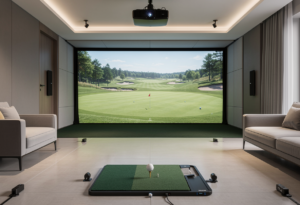
A $5,000 budget for a golf simulator is the most contested price point in the home golf market. Below it, you make real compromises. Above it, you start getting fitting-grade data. This is the tier where component choices matter more than anywhere else – pick the wrong launch monitor for your room and no enclosure or projector will save the build.
I’ve spent the last eight years putting launch monitors next to a Trackman 4 reference unit for private clients in Scottsdale. The picks below come from a 50-shot protocol across driver, 7-iron, and wedge – not from spec sheets. Every package here is a real configuration you can buy today, and every price includes the launch monitor, enclosure, screen, mat, and projector unless noted.
The honest truth: a sub-$5K simulator is a legitimate starting point, but the launch monitor is the engine. Get that right for your room depth and you can upgrade everything else over time.
Our top picks at a glance
- Best overall: SkyTrak+ SIG10 Package – photometric accuracy in a full enclosure right at the budget ceiling
- Best value: Garmin Approach R10 SIG10 Package – the cheapest full studio that runs GSPro reliably
- Best photometric on a tight budget: Square Golf SimStudio Complete – the only camera-based unit under $1K, in a full studio bundle
Side-by-side comparison
| # | Package | Score | Tech | Min room depth | Package price |
|---|---|---|---|---|---|
| 1 | SkyTrak+ SIG10 | 9.2 | Camera + radar | 12 ft | $4,895 |
| 2 | Garmin R10 SIG10 | 8.7 | Radar | 14 ft | $2,599 |
| 3 | Square Golf SimStudio | 8.5 | Camera | 10 ft | $3,895 |
| 4 | Rapsodo MLM2PRO SimStudio | 8.3 | Camera + radar | 14 ft | $3,795 |
| 5 | FlightScope Mevo+ Bronze | 8.1 | Radar | 18 ft | $4,699 |
| 6 | Garmin R10 + Carl’s Place DIY | 7.8 | Radar | 14 ft | $2,200 |
Scores reflect the launch monitor and complete package as tested. Package prices are current street prices and may shift with seasonal promotions.
The 6 best golf simulators under $5,000 in 2026
1. SkyTrak+ SIG10 Package – photometric accuracy at the budget ceiling
The SkyTrak+ SIG10 package from The Indoor Golf Shop is the closest you’ll get to a fitting-grade simulator under $5K. It pairs the SkyTrak+ launch monitor – which combines a photometric camera with dual Doppler radar – with the SIG10 enclosure, SIGPRO Premium impact screen, a quality hitting mat, and an Optoma short-throw projector. This is the build I’d put in a basement or garage and forget about.
In testing, the SkyTrak+ tracked within 1-2 yards of carry distance against the Trackman 4 across driver and irons. Ball speed and swing speed measured nearly identically. The one weakness is spin: the SkyTrak+ consistently reads backspin and side spin slightly lower than Foresight or Trackman, which matters more for fitting than for general practice. The SIG10 enclosure handles ball speeds well past 150 mph from driver, and the SIGPRO Premium screen has no white border – the projection fills the entire frame.
Software is where you make a decision. The SkyTrak+ runs its own SkyTrak app with Course Play, but the community standard is GSPro at $250/year, and SkyTrak+ connects via an unofficial connector that’s well-maintained but not factory-supported. If GSPro tournaments and the Sim Golf Tour matter to you, factor in the connector workflow.
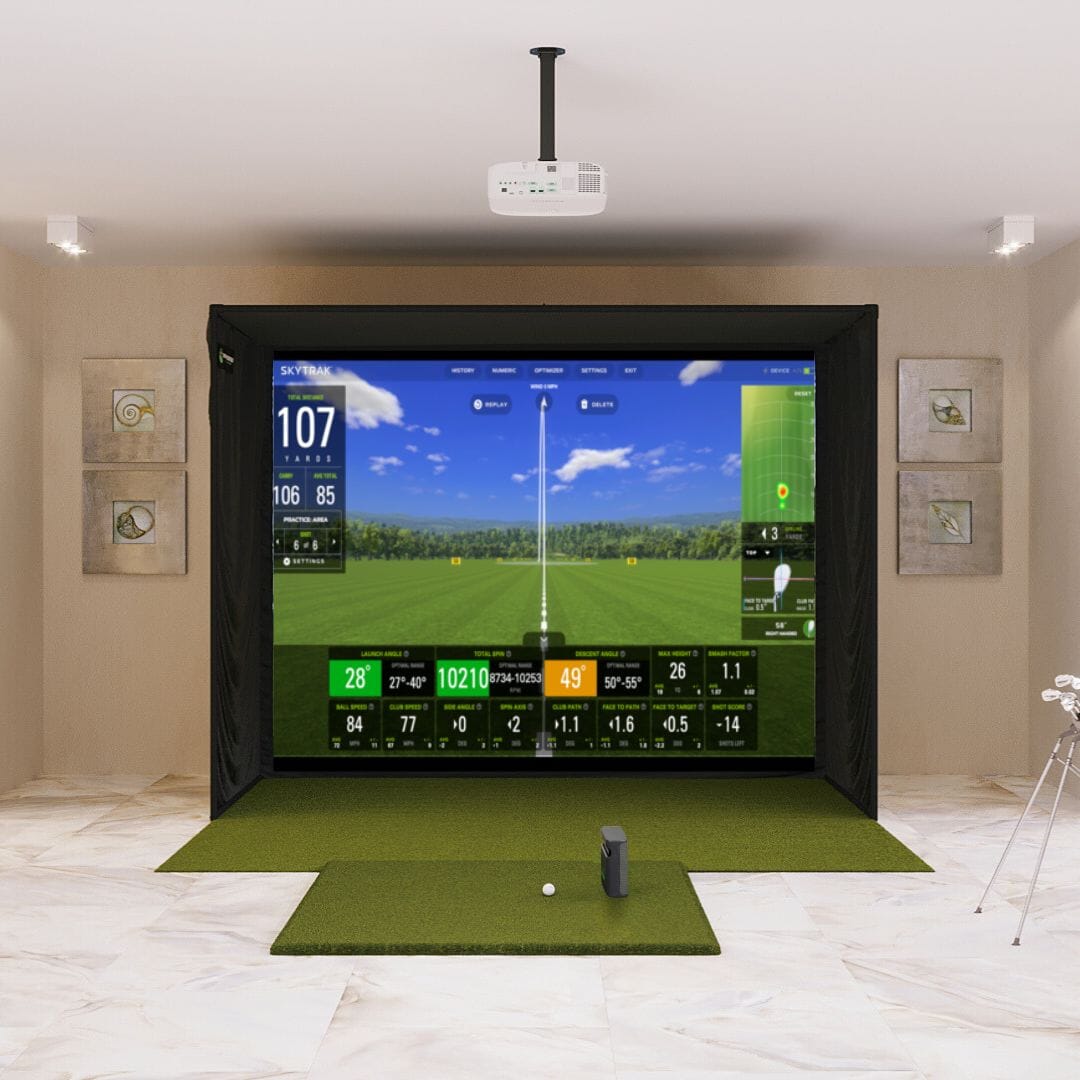
If I were spending exactly $5,000 on a permanent home build today, this is the package I’d put in. The SkyTrak+ matches launch monitors three times its price on carry and ball speed, and the SIG10 enclosure is the community default for a reason. Spin tracking is the only place it gives ground to Foresight, and most golfers won’t notice.
Built for
- Permanent garage or basement builds with a dedicated 10×16 footprint
- Players who want photometric ball data without a $7K+ unit
- Indoor-only practice and full simulator rounds
Consider alternatives if
- You need outdoor range use – SkyTrak+ is best indoors
- Spin tracking precision is your top priority for fitting work
2. Garmin Approach R10 SIG10 Package – cheapest full studio that runs GSPro
The Garmin Approach R10 SIG10 package is the answer if you want a real studio – full enclosure, impact screen, projector, mat – and need to keep total spend well under the ceiling. The R10 itself is $599.99 retail, often discounted further, and pairing it with The Indoor Golf Shop’s SIG10 package leaves room in the budget for software and accessories.
The R10 is radar-based, which means it needs 14-16 feet of total room depth to read shots cleanly. In a properly sized garage, it tracks driver carry within 3-5 yards of the Trackman 4 baseline, which is fully acceptable for course play and game improvement. Where it struggles is wedges and short irons – radar units are weaker than cameras at low ball flight inside enclosed spaces.
The huge win here is software. The R10 connects natively to GSPro without a bridge connector or annual fee from Garmin, and it works with E6 Connect and TGC 2019. You get the full community ecosystem, the Sim Golf Tour, and 4,000+ user-created courses for $250/year. No other package at this price gives you that combination.
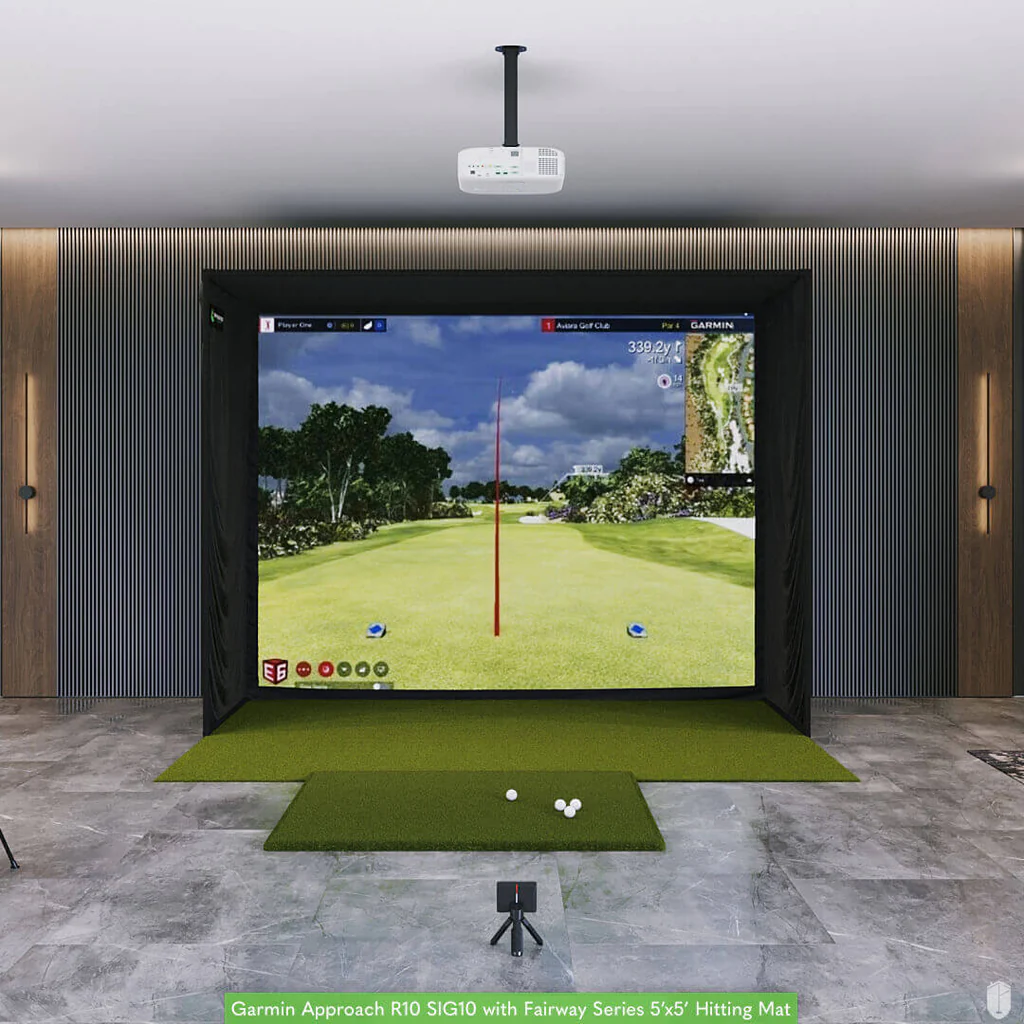
The R10 is the launch monitor that built the modern home sim boom. It’s not the most accurate unit on this list, but it’s the cheapest path to a full studio that runs GSPro natively. If your room is at least 14 feet deep and you care more about playing courses than fitting work, this is the smart buy.
Best fit
- First-time sim builders with 14+ feet of room depth
- Players who want native GSPro support out of the box
- Budgets that need to leave room for software and a quality mat
Not ideal for
- Tight bays under 12 feet deep – radar needs space
- Short-iron and wedge precision work
3. Square Golf SimStudio Complete – photometric tracking under $1K, full studio bundle
The Square Golf SimStudio Complete from PlayBetter is the package I’d recommend for the player who specifically wants camera-based tracking in a tight indoor bay. Square is the only photometric launch monitor under $1,000, and the SimStudio package wraps it in an enclosure, impact screen, 5×5 hitting mat, side barriers, and an Optoma ZW350ST short-throw projector.
Because Square is camera-based, it works in shallow rooms – 10-12 feet of depth is enough, where the Garmin R10 struggles. It also tracks putting and chipping reliably, which most launch monitors at this price ignore entirely. Adjustable green speeds in the Square Golf app make full simulator rounds genuinely playable. The unit is indoor-only – direct sunlight will throw it off – but for a basement or insulated garage, that’s not a problem.
The other huge advantage: no annual subscription to use third-party software. Square connects natively to GSPro, E6 Connect, and Awesome Golf without any extra fee from Square itself. Most camera brands at the next price tier – SkyTrak, Uneekor, Bushnell – charge $200-$700/year just for the privilege of using their hardware with GSPro. Square doesn’t. Club marking stickers are required for full club data, and a $100 price increase is reportedly coming, so the current window is favorable.
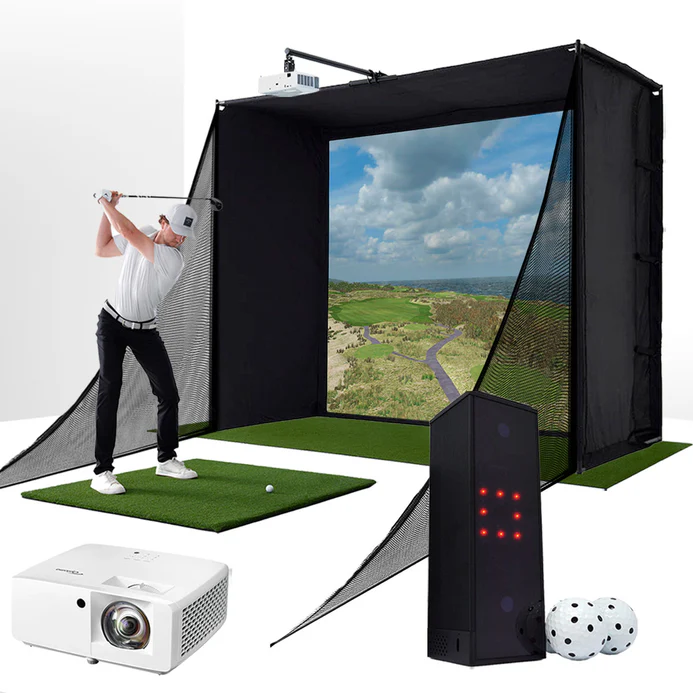
Square is the most disruptive launch monitor of the last two years. A photometric unit under $700 with native GSPro support and no annual fee shouldn’t exist – but here it is, in a complete studio package well under $5K. If your room is short on depth, this is the package to buy.
Ideal for
- Compact indoor bays with 10-12 feet of depth
- Players who want putting and chipping tracked accurately
- Anyone allergic to annual software subscriptions from the launch monitor maker
Limitations
- Indoor-only – no outdoor range use
- Mixed left/right households need to reposition the unit each time
4. Rapsodo MLM2PRO with PlayBetter SimStudio – portable launch monitor in a full bay
The Rapsodo MLM2PRO SimStudio package takes a $699 launch monitor that’s designed to live in your golf bag and drops it into a full home studio. The MLM2PRO uses dual optical cameras plus Doppler radar, captures 13 measured metrics including club path and angle of attack, and now connects natively to GSPro through an official integration – no third-party connector required.
What you get for the money is unusual for this tier: direct club data on a sub-$700 device, swing video capture from two angles with slow-motion replay, and outdoor compatibility for range sessions. The trade-off is that radar units indoors need at least 14 feet of total depth to read consistently, and short-iron tracking in tight spaces will frustrate you. Spin and ball speed measurements are accurate within 1% when paired with Callaway RPT balls.
The MLM2PRO requires a Premium Membership for full functionality – $199/year or a one-time $499 lifetime license. Factor that into your total cost. The strength of this package over the R10 SIG10 is the Rapsodo software ecosystem and the dual-camera swing video, which is genuinely useful for working on path and tempo.
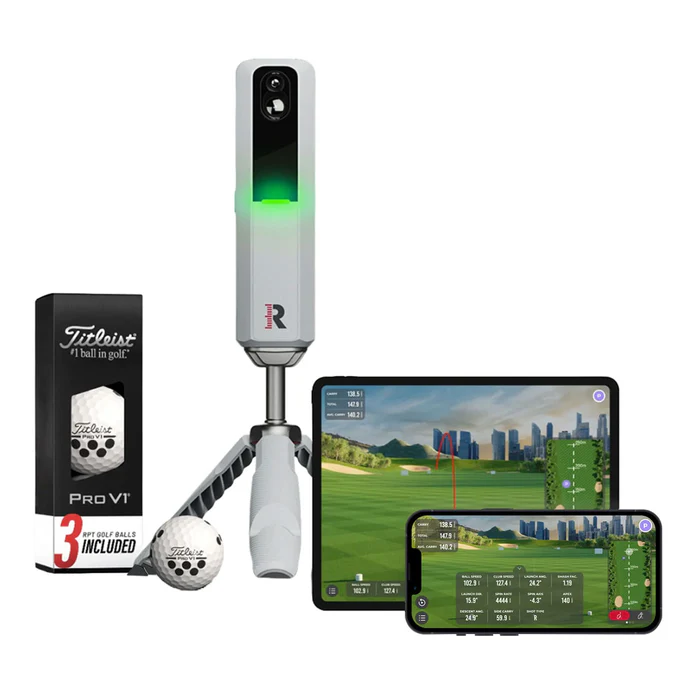
The MLM2PRO is the closest thing to a do-everything launch monitor under $1K. It’s the unit I’d take to the range on weekdays and run in the basement on weeknights. Built-in swing video plus measured club path data on a $699 device is genuinely impressive – just respect the room depth requirement.
Built for
- Players who want one device for indoor sim and outdoor range
- Anyone who values built-in swing video over deeper club data
- Garage builds with at least 14 feet of clear depth
Not ideal for
- Tight basement bays under 12 feet deep
- Players who want zero subscription costs
5. FlightScope Mevo+ Bronze Package – radar accuracy for deep rooms
The FlightScope Mevo+ Bronze package sits in the upper half of this budget and is the package I’d recommend if your space is generous and you want serious radar tracking without crossing the $5K line. The Mevo+ delivers 16+ measured data points, no mandatory annual subscription, and FlightScope’s polished app ecosystem.
Where the Mevo+ shines is full-swing accuracy in a deep room. With 18-21 feet of total depth, it tracks driver and long irons within 2-3 yards of carry against the Trackman 4. Spin measurement is strong, and the unit handles both indoor and outdoor use without compromise. The Bronze package wraps it with a quality enclosure, impact screen, mat, and projector – a complete setup that needs no additional purchases to play.
The catch is space. Like all radar units, the Mevo+ needs more depth than camera-based options, and it’s not the right choice for a basement under 16 feet. If you have the room, this is one of the most accurate packages you can build at this price.
6. Garmin R10 with Carl’s Place DIY Enclosure – lowest entry point to a full studio
The Garmin R10 with a Carl’s Place DIY enclosure is the cheapest legitimate full simulator on this list. Carl’s Place sells DIY enclosure kits with a screen and frame, and you pair it with the R10, a basic mat, and a projector of your choice. You can put a complete bay together for around $2,000-$2,500 total if you shop carefully and accept some assembly work.
This is a real first build, not a toy. The R10 runs GSPro, the Carl’s Place screens handle ball speeds well, and you keep budget free for upgrades down the line. The trade-off is everything: assembly time, less polished aesthetics than a SIG package, and no white-glove support if a component fails. For a hands-on builder who wants to learn the system from the ground up, it’s the right starting point.
The single biggest mistake I see at this price tier is matching a radar launch monitor to a 12-foot basement. The R10 and Mevo+ both need real depth to read shots cleanly, and no amount of money spent on the screen or projector will fix a too-short room. Measure your space first, then pick the launch monitor.
How we test golf simulators in this price tier
Every launch monitor gets the same 50-shot protocol in a controlled indoor bay: 20 driver shots, 20 with a 7-iron, 10 wedge shots. Each session runs side-by-side with a Trackman 4 as the reference unit. I record carry deviation, spin consistency, and how often the unit misses or mis-reads a shot.
For complete packages, I add install time, real room dimensions needed (not the manufacturer’s optimistic minimums), and how the system handles a left-right player switch. The mat, screen, and projector get scored on impact absorption, image brightness in ambient light, and durability after several weeks of use.
Testing protocol: 50 shots per launch monitor (driver, 7-iron, wedge) measured against a Trackman 4 reference. Carry within 3 yards = pass. Spin within 300 rpm = pass. Less than 5% missed shots = pass.
What $5,000 actually buys you in 2026
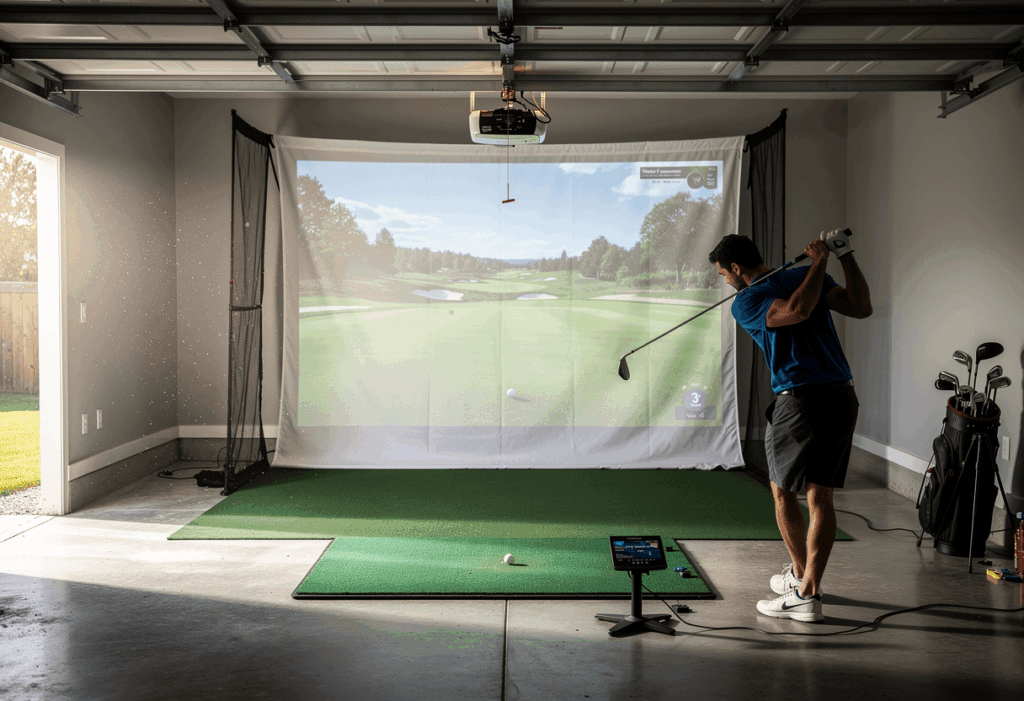
At this budget, you’re choosing between two real paths: a premium launch monitor with a basic enclosure, or a budget launch monitor with a proper full studio. There is no setup at this price that gives you both fitting-grade data and a permanent dedicated room. Anyone who tells you otherwise is selling you something.
The other reality nobody talks about: subscription costs change the five-year picture. A SkyTrak+ at $1,795 looks cheaper than a $2,995 SkyTrak+ until you add the $349/year Game Improvement plan. A Garmin R10 at $599 looks unbeatable until you realize GSPro at $250/year is mandatory if you want serious course play. Build the 12-month total cost into your decision, not just the sticker.
The community consensus on r/golfsimulator is consistent: in this tier, the hitting mat is the single most underrated component. Cheap rubber mats cause real wrist and elbow strain on fat shots, and they’re the number one reported regret from new sim owners. None of the packages above ship with a $99 mat, which is part of why they all clear the $2,500 floor.
Golf simulator under $5,000 FAQ
Can you really build a good golf simulator for under $5,000?
Yes – but with honest trade-offs. At this budget you get one of two things: premium launch monitor + basic enclosure, or budget launch monitor + full studio. You won’t get fitting-grade accuracy and a dedicated commercial-quality room at the same time. The packages above are real configurations that thousands of home golfers play on every week.
What’s the minimum room size for a sub-$5K golf simulator?
For a camera-based unit like the SkyTrak+ or Square, you can work with 10×12 feet and 9-foot ceilings. For a radar unit like the Garmin R10, FlightScope Mevo+, or Rapsodo MLM2PRO, plan on 14-18 feet of total depth, 10 feet of width, and 9-10 foot ceilings. Measure before you buy – this is the single most common mistake.
Is the SkyTrak+ or Garmin R10 better for under $5,000?
The SkyTrak+ is the more accurate launch monitor and the better long-term investment if your budget can stretch to a full SIG10 package. The Garmin R10 is the smarter choice if you want to keep total spend low and use the savings on software, a better mat, or a future upgrade. Camera-based beats radar-based for tight indoor rooms; radar handles outdoor use better.
Do I need GSPro?
You don’t need it, but the home sim community treats GSPro at $250/year as the default for a reason: 4,000+ courses, the Sim Golf Tour tournaments, and the most realistic ball physics in the price range. The R10, Square, and MLM2PRO all connect to GSPro natively. SkyTrak+ uses a community connector that works but isn’t factory-supported.
What’s the most underrated component at this price?
The hitting mat. A cheap rubber mat causes real wrist and elbow pain on fat shots, and it’s the number one regret reported across r/golfsimulator and dedicated sim forums. Every package on this list ships with a mat that’s at least functional, but if you’re building DIY, budget at least $400-$700 for a proper mat with a replaceable hitting strip.
Can I upgrade later?
Yes, and it’s the right strategy. The launch monitor is the engine and the hardest piece to swap. Everything else – screen, projector, mat, enclosure – can be replaced incrementally. Buy the right launch monitor for your room first, then upgrade components over the next 2-3 years as budget allows. This is how most serious sim owners build over time.
The bottom line on a $5K simulator build
The interesting shift in this price tier over the last 18 months isn’t the launch monitors themselves – it’s the collapse of the camera-vs-radar price barrier. Two years ago, photometric tracking under $1,000 didn’t exist. Today, Square has it for $699, and Rapsodo’s MLM2PRO pairs cameras with radar at the same price. That changes the math for anyone with a tight room: you no longer have to spend $2,500+ to get camera-based accuracy.
If I were buying today and the room could handle it, I’d put the SkyTrak+ SIG10 package in – it’s the closest thing to a serious permanent build you can get under the ceiling. If the room is tight or the budget is firmer, the Square Golf SimStudio punches well above its sticker price. And if you want native GSPro and the lowest possible entry, the Garmin R10 SIG10 still leads on raw value.