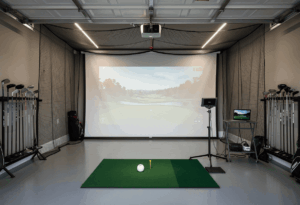
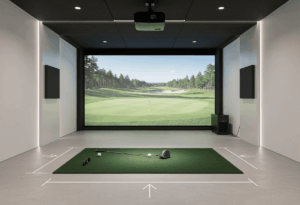
A basement is the ideal location for a home golf simulator on every metric except one: ceiling height. You get climate stability, natural darkness for projection, sound isolation from the rest of the house, and usually plenty of depth. What you don’t get is consistent overhead clearance, and the obstacles that eat your headroom (beams, ducts, soffits, plumbing) are the ones nobody mentions until after the equipment arrives.
I’ve consulted on basement builds ranging from a 7’6″ ceiling wedge-only sim to a fully excavated 11-foot Trackman iO room. The pattern is consistent: basement builds succeed when you measure to the lowest hanging obstacle, not the nominal ceiling height listed on your floor plan. This guide walks through the basement-specific issues that make or break the build.
Basement essentials at a glance: Measure to the lowest obstacle in the swing zone (beam, duct, joist, soffit), not floor-to-drywall. Camera-based launch monitor is almost always the right choice. Dehumidifier is non-negotiable. Plan for sound transfer to upstairs rooms. Budget $4,000-$10,000 for a standard build, $20,000+ if excavation is involved.
Step 1: Find your real ceiling height (it’s lower than you think)
The listed ceiling height in your home’s specs is almost always the floor-to-joist measurement before any obstructions intrude. Soffits, HVAC ducts, structural beams, plumbing runs, and drop ceiling tiles routinely steal 4-12 inches of effective clearance. Your usable swing height in the actual hitting position is often a foot less than the number on the blueprint.
Walk your basement with a tape measure and a flashlight. Find every obstruction at ceiling height: steel I-beams running across the width, HVAC trunk lines, drain pipes, electrical conduit, recessed light housings. Measure to the lowest one in your intended hitting zone, then subtract another 1.5-1.75 inches for hitting mat thickness. That number is what your swing has to work with.
Run the painter’s-tape test in the actual hitting position. Take a slow, full backswing with your driver and have someone mark the highest point of the clubhead. Add 9 inches of clearance. If your real clearance comes up short of that mark, you have decisions to make – and they’re decisions that need to happen before any equipment ships.
Step 2: Work around the obstacles (or move them)
Basement ceiling problems typically have multiple causes working together, but most have practical workarounds. Try the cheap fixes first.
Move the hitting position perpendicular to the obstacle. Most basement beams run along one axis. Shifting your stance 2-3 feet laterally often clears the beam entirely, even if it means hitting from an off-center spot in the room. The screen stays square to the wall – only the hitting position moves.
Rotate the hitting angle. Standard simulator setups hit perpendicular to the screen. Rotating your hitting position 5-10 degrees so the swing arc clears an obstacle, then adjusting the launch monitor for the offset, is a legitimate solution that camera-based units handle cleanly. Most overhead obstacles run in straight lines, and a small angle change clears them.
Reroute the HVAC duct. If you’re already doing construction for the build, having an HVAC contractor reroute a duct that falls in the swing zone is typically a half-day job and a few hundred dollars. Meaningfully better than working around it forever. Same logic applies to drain lines and electrical runs – if you can move the obstacle once, do it.
Excavate the hitting platform. The nuclear option for marginal-ceiling basements: cut out a 3-4 inch depression in the concrete floor under the hitting mat. This effectively lowers your hitting position and gains you that much in overhead clearance without changing the ceiling. It’s a $2,000-$5,000 concrete job depending on whether you need to address structural support, but for some builds it’s the only path to a driver-capable sim.
Full basement excavation: The most extreme solution. Digging out the entire basement floor 12-18 inches and re-pouring at lower depth costs $25,000-$60,000 in most markets and requires structural engineering, but it transforms an unusable 7’6″ basement into a 9′ premium sim room. Only worth it for committed builds in homes you’ll own long-term.
Step 3: Pick a camera-based launch monitor (radar fails in basements)
Basements create specific failure modes for radar units that don’t affect camera-based systems. Concrete walls reflect radar signals, metal HVAC ductwork scatters the wave, and steel I-beams absorb it. Combine that with the depth limitations most basements have, and radar units become genuinely unreliable in this environment.
For budget basement builds: SkyTrak+ ($1,995) is the right answer. Camera-based, works in 15-16 feet of depth, sits on the floor next to the ball with no ceiling-mount complications. The Foresight GC3 ($7,500) is the step up if budget allows.
For mid-tier basement builds: Bushnell Launch Pro ($2,499) gives you near-Foresight accuracy with full GSPro support. The Uneekor EYE MINI (~$3,825) is the sleeper pick – small footprint, high accuracy, no ceiling installation required.
For premium basement builds with confirmed 9’4″+ clearance everywhere: Uneekor EYE XO2 (~$9,000-$10,000) or Trackman iO ($13,995). Both are ceiling-mounted, both eliminate left/right recalibration. The clearance requirement is everywhere in the swing zone, not just at the peak of the room. If a beam drops to 9 feet directly above your hitting position, ceiling-mounted units are off the table.
What to avoid in basements: any radar unit. Garmin R10, FlightScope Mevo+, Trackman 4 – all of them will give you unreliable data in a typical basement, even if the depth math technically works. Camera-based or ceiling-mounted only.
Step 4: Address moisture before anything else
This is the basement issue I see clients underestimate constantly. Sustained humidity above 60% damages launch monitor electronics, degrades impact screen fabric, and warps wood enclosure frames. A basement with marginal moisture management will destroy a $5,000 launch monitor over a few years – slowly enough that you don’t notice until the data goes wrong.
The minimum solution is a quality dehumidifier rated for the square footage. A 30-50 pint unit ($200-$400) handles most basements and keeps humidity in the 30-50% range that electronics tolerate. Run it continuously during humid months. This is non-negotiable for any basement sim build.
The next level is addressing moisture sources directly. Check for foundation cracks, ensure exterior grading slopes away from the house, verify gutters and downspouts are routed properly, and install a sump pump if the basement is below water table. Skipping this step means fighting humidity forever.
For finished basements with the simulator going into a dedicated room, vapor barriers and proper insulation on exterior walls prevent condensation from forming where it can damage equipment. This typically gets handled during the room finishing, not as a simulator-specific cost.
Step 5: Plan for the sound transfer (your family will care)
Basement simulators have one universal complaint that doesn’t appear in garage or detached-room builds: the sound carries directly through the floor to the rooms above. A golf ball hitting an impact screen at 150 mph creates a noticeable thump that broadcasts through ceiling joists into the living room or bedroom upstairs.
The most effective fix is acoustic treatment on the screen-side wall and the ceiling above the hitting zone. Acoustic panels ($150-$400) on the wall behind the impact screen absorb the sound at the source. Mineral wool batt insulation ($100-$300) added between the joists above the hitting area reduces the upward transfer dramatically. Combined, these two treatments can cut perceived noise upstairs by 60-70%.
The hitting mat matters here too. A foam underlayment beneath the mat ($50-$150) decouples impact vibration from the concrete floor, which would otherwise transmit through the foundation to the rest of the house. Cheap fix, real difference.
The conversation to have before the build: which hours are acceptable for the family. Households where this gets discussed end up with simulators that get used at 10pm without complaints. Households that skip it end up restricted to « kids in school » hours by the rest of the family – which dramatically reduces actual usage.
The basement build I’m proudest of last year was a $9,400 setup directly under the master bedroom. The owner was convinced it would never work. We spec’d full acoustic treatment – panels, ceiling insulation, mat underlayment – for an extra $700. Two years in, his wife sleeps through 11pm sessions. Sound treatment isn’t optional in basements. It’s the difference between a sim you use and a sim you fight to use.
Step 6: Take advantage of basement strengths (lighting and depth)
Basements have two genuine advantages over other room types: natural darkness and consistent depth. Use them. A basement with no windows near the screen wall produces projector image quality that a garage with daylight intrusion can never match – which means a lower-lumen, lower-cost projector still looks great.
For most basement builds, the BenQ TH671ST at 3,000 lumens ($700-$900) produces excellent image quality because you’re not fighting ambient light. The BenQ TK710STi ($1,500) is the 4K upgrade if budget allows. You don’t need the 5,100-lumen LK936ST that garage builds often require – basements just don’t need that much brightness.
Depth is the other basement strength. Most basements span 20-30 feet across the house footprint, which means you can comfortably accommodate radar units if the ceiling allows – though the radar interference issues from concrete walls and ductwork still apply. The depth also means projector throw distance is rarely an issue.
For lighting during sessions, install a dimmer switch on the front-half overhead lights. Smart bulbs work too. The goal is to dim the area near the screen during play while keeping the rest of the basement comfortably lit for walking around. This single $30 fix solves 95% of basement lighting issues.
Egress windows or any glass on the screen-side wall need blackout treatment installed early. Even small windows allow enough daylight to wash out the projected image, and once the enclosure is up, retrofitting blackout shades becomes a hassle.
Step 7: Build for the long term (basements aren’t temporary)
Garage builds often need to remain dual-use because of parking. Basement builds rarely have that constraint, which means you can commit fully to a finished, permanent installation. The build should look intentional, not adapted.
Run a dedicated 20-amp electrical circuit for the projector, PC, and launch monitor. Shared circuits with HVAC or other heavy loads cause voltage dips that confuse sensors and trip projectors mid-session. A licensed electrician handles this for $300-$600.
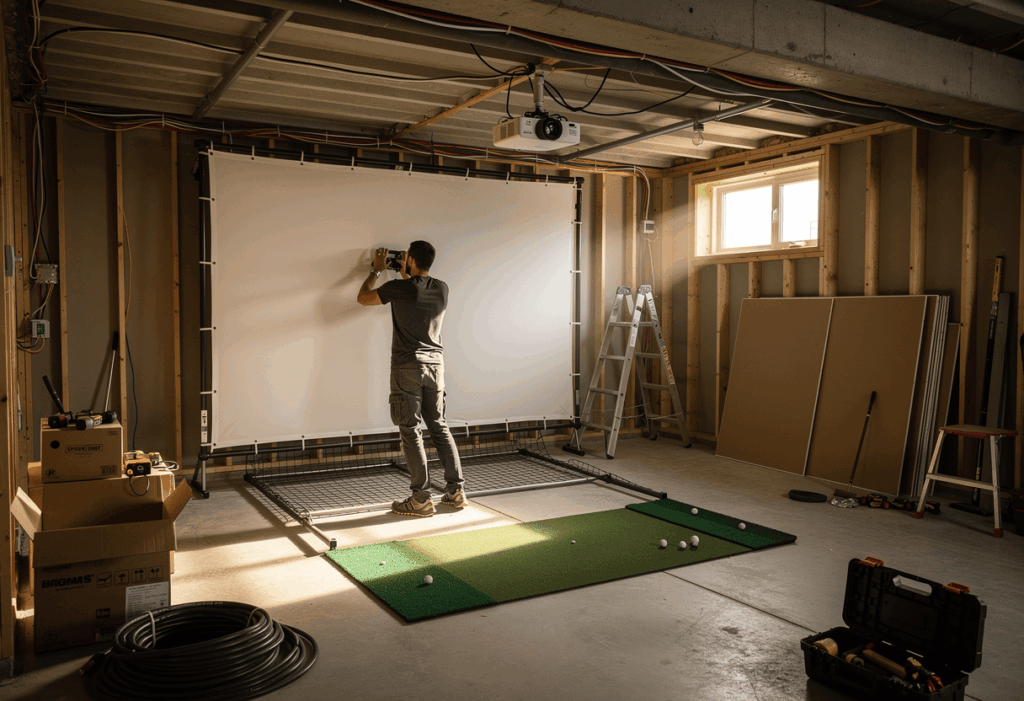
Plan cable routing as part of the framing, not after. HDMI inside conduit, power along the same path, USB extensions for any ceiling-mounted launch monitors. Hidden, labeled, and accessible for future upgrades. The clean look matters because a finished basement build is the simulator most likely to get used multiple times a week for years.
Finished flooring under the entire room – typically nylon turf laid wall-to-wall ($800-$2,000) – transforms the look from « garage with a screen » to « dedicated golf room. » This isn’t required but it’s what separates basement builds that get used from basement builds that get abandoned. The space has to feel finished to feel inviting.
Common basement-specific mistakes
1. Measuring to the joists instead of the lowest obstruction
The most common and most expensive basement build mistake. The listed ceiling is 9 feet, but a steel I-beam drops to 8’2″ directly above the planned hitting position. Always measure to the lowest hanging obstacle in the actual swing zone, not the highest point of the ceiling.
2. Buying a radar launch monitor for a basement
Concrete walls, metal ductwork, and steel beams all interfere with radar signals. Even when the depth math works, basements give radar units unreliable data. Camera-based or ceiling-mounted only. The Garmin R10, Mevo+, and Trackman 4 belong in garages or detached rooms, not basements.
3. Skipping the dehumidifier
Sustained humidity destroys launch monitor electronics over time. The damage is gradual – data quality degrades, then sensors fail, then you replace a $5,000 unit. Buy the dehumidifier first, before any expensive equipment goes into the room.
4. Underestimating sound transfer to upstairs rooms
The thump of impact carries through floor joists directly into the living room above. Households that don’t address this end up restricted to specific play hours, which kills usage volume. Acoustic panels and ceiling insulation aren’t optional in basement builds – they’re what makes the sim usable when the rest of the family is home.
5. Treating basement excavation as the first answer
Excavation is dramatic and expensive. Before considering a $30,000 dig-out, exhaust the cheaper options: shift the hitting position, rotate the angle, reroute a duct, recess the hitting platform 3-4 inches. Most « needs excavation » basements turn out to need $1,500 of HVAC rerouting instead.
Frequently asked questions
What ceiling height do I need for a basement golf simulator?
A minimum of 9 feet measured to the lowest obstruction in your hitting zone, including beams, ducts, soffits, and joists. 10 feet is the comfortable standard for a full driver swing. Below 9 feet you’re restricted to irons and wedges, or you need to consider excavation, hitting platform recessing, or relocating the build to a different room.
Can I build a golf simulator in an unfinished basement?
Yes – many excellent builds are in unfinished basements. Exposed joists and concrete floors don’t prevent a functional simulator, but you’ll want to address moisture (dehumidifier), run dedicated electrical for the projector and PC, and add basic wall protection for mishits. A finished room is nicer but not required for the sim itself to work.
Is a basement better than a garage for a golf simulator?
It depends on your specific spaces. Basements usually win on depth, lighting control, temperature stability, and sound isolation. Garages usually win on ceiling height and don’t have moisture issues. If your basement has 9+ feet of clearance everywhere in the hitting zone, it’s almost always the better location.
How much does it cost to dig out a basement for a golf simulator?
Partial excavation (recessing the hitting platform 3-4 inches) runs $2,000-$5,000. Full basement dig-out and underpinning to gain 12-18 inches of ceiling height costs $25,000-$60,000 in most markets, plus structural engineering. Only worth considering for committed long-term builds in homes you’ll own for years.
What’s the best launch monitor for a low-ceiling basement?
Floor-mounted camera-based units that don’t require ceiling clearance. The SkyTrak+ ($1,995), Bushnell Launch Pro ($2,499), Foresight GC3 ($7,500), and Uneekor EYE MINI (~$3,825) all work in basements with marginal headroom because they sit on the ground next to the ball. No ceiling mounting, no overhead clearance requirements beyond your own swing.
Do I need to worry about sound complaints from the basement?
Yes – more than most builders expect. The thump of impact transmits through floor joists directly into the rooms above. Plan for $200-$700 in acoustic treatment (panels on the screen-side wall, mineral wool insulation between joists above, foam underlayment beneath the hitting mat). This single category of investment dramatically improves family acceptance of late-night sessions.
In summary: basements reward problem-solvers
The best basement golf simulator isn’t built around the highest ceiling – it’s built around the obstacles that exist and the workarounds that solve them. Most basements look unworkable on first measurement. Most of them become workable with one or two cheap fixes: shifting the hitting position, rerouting a duct, or recessing a hitting platform a few inches.
One angle most basement guides skip entirely: basements gain value over time more than other build types. A finished basement sim room reads as a real lifestyle amenity in a home listing, especially in cold-climate markets where buyers can’t golf outdoors for half the year. A garage build doesn’t add the same listing appeal – finished basements with permanent simulator installations genuinely move comps in markets like Minneapolis, Boston, and Denver.
Do the painter’s-tape test before any equipment gets ordered. 30 minutes of measurement saves thousands in returned hardware and abandoned builds. The basement sims I’ve fitted that get used five times a week all started with a tape measure and a slow driver swing in the exact hitting spot. The ones gathering dust started with a credit card and an assumption.
The basement clients I see using their sims most consistently treat the build as a multi-year project, not a weekend install. Year one: get the room functional with the cheapest viable launch monitor and projector. Year two: upgrade the mat and add acoustic treatment. Year three: swap the launch monitor for something better and resell the old one. Total spend ends up similar to an all-at-once build, but the room evolves with their usage and they never overspend on capabilities they don’t actually use.